Custom WordPress features, built for the way your organisation works
When no plugin does what your organisation needs, we build one that does. Your staff add the content through the WordPress screens they already use. We maintain the code and support it.
What is custom code for?
Custom code is for the job a plugin cannot do, or can only do by stitching three plugins together. A custom feature is built around how your team works, so staff follow one simple process instead of working around someone else's software.
The examples on this page are from Homelessness Queensland. HQ is the statewide peak body for specialist homelessness services. Its job board, course catalogue and resource library run as one plugin that we built, and each feature can be switched on or off without losing any content.
Job board
Post paid and volunteer roles that list, filter and close themselves, with an Apply page for each.
See the job boardCourse catalogue
Sell paid courses and list free, funded and member courses from one catalogue that builds itself.
See the catalogueMembers-only library
Publish papers to the public and keep member and student resources behind a login.
See the libraryPost a role once and your Careers page builds itself
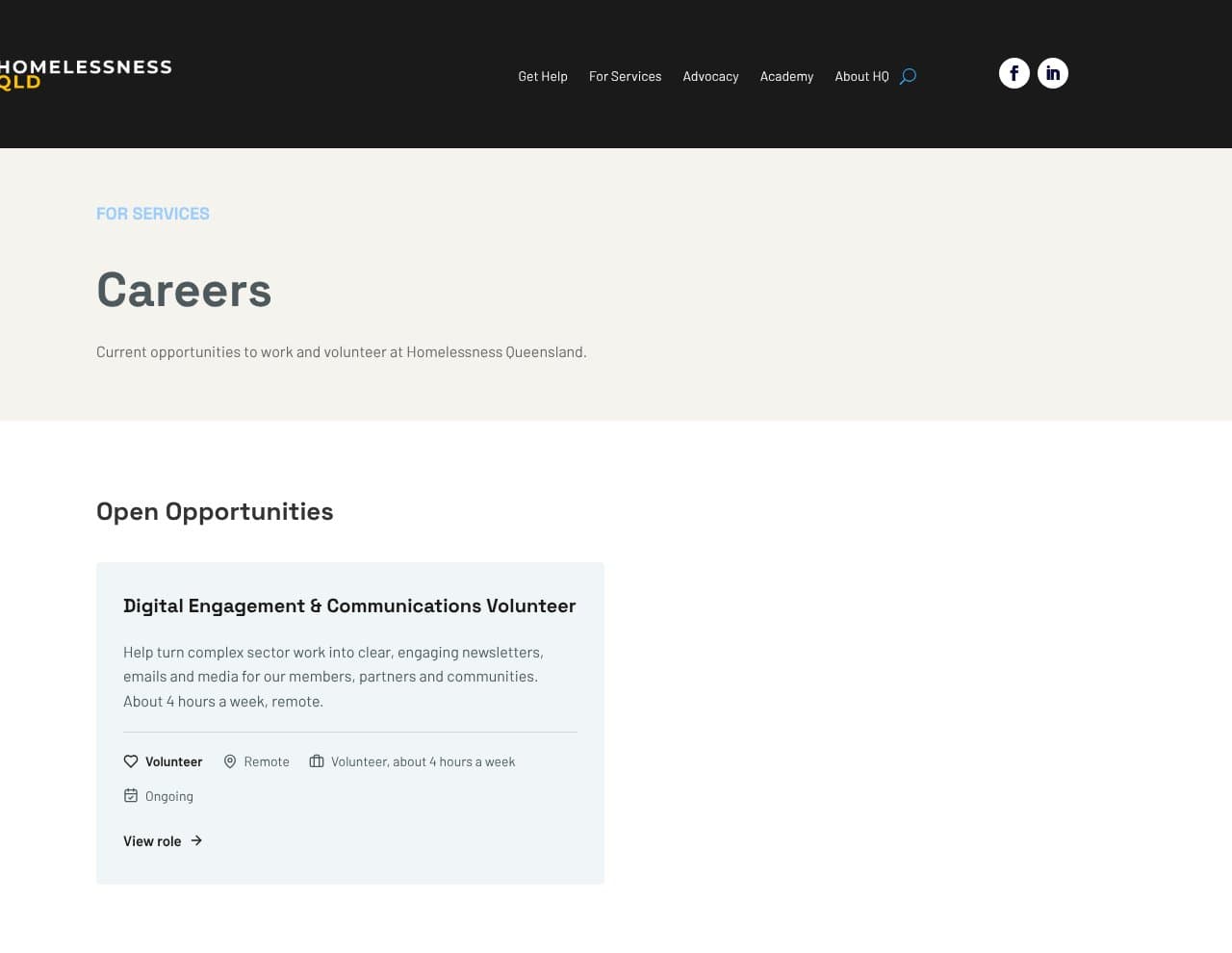
Staff add a role in WordPress, and its card appears on your Careers page with the role type, location, hours and closing date. Your Careers page stays current without design work every time you recruit.
Closed roles take themselves down.
A role leaves the Careers page the day after its closing date, and stays saved in WordPress as a record. Applicants never find an expired job, and nobody has to remember to remove it.
Paid and volunteer roles sit on one page.
Each role shows a paid or volunteer label, and the filter buttons appear as soon as both kinds are open. Volunteers and job seekers each find their roles in one click.
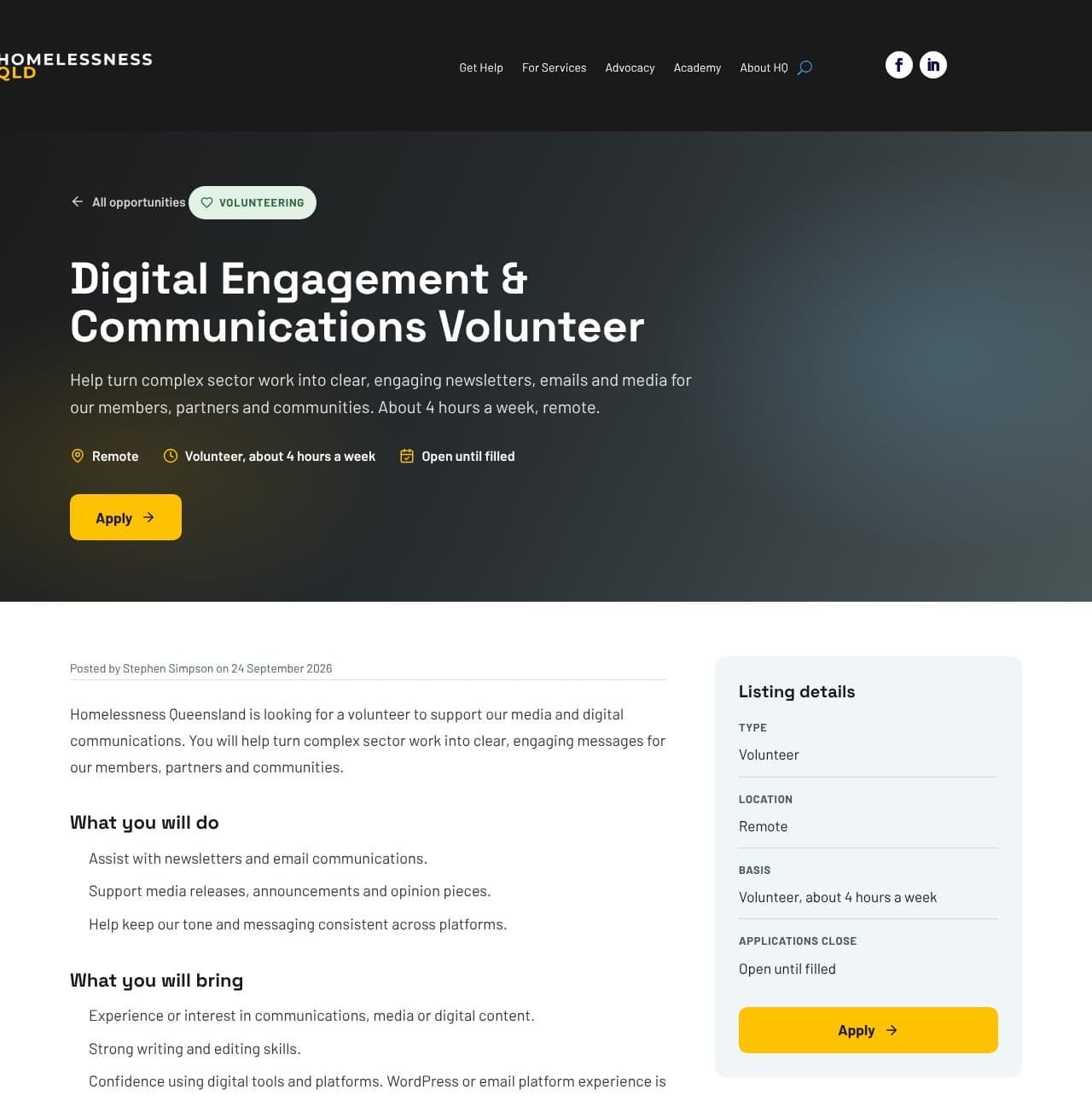
Every role has its own page with an Apply button.
The listing page shows the full description, the role details and exactly what to send. Applications go to a shared inbox, or through an application form with a resume upload, so you receive complete applications.
HQ recruits its own volunteers from its own website
Homelessness Queensland needed one place to advertise paid jobs and volunteer roles that its own staff could run. We built the job board as a module of the site's custom plugin and wrote a staff guide for adding a role. HQ advertises a role in minutes, and the listing stays on its own website instead of a third-party job site.
Sell paid courses and list free ones from the same catalogue
Every course is a product in WordPress, and the catalogue page builds its own cards, filters and counts from those products. Your catalogue grows with your program and never needs a page rebuild.
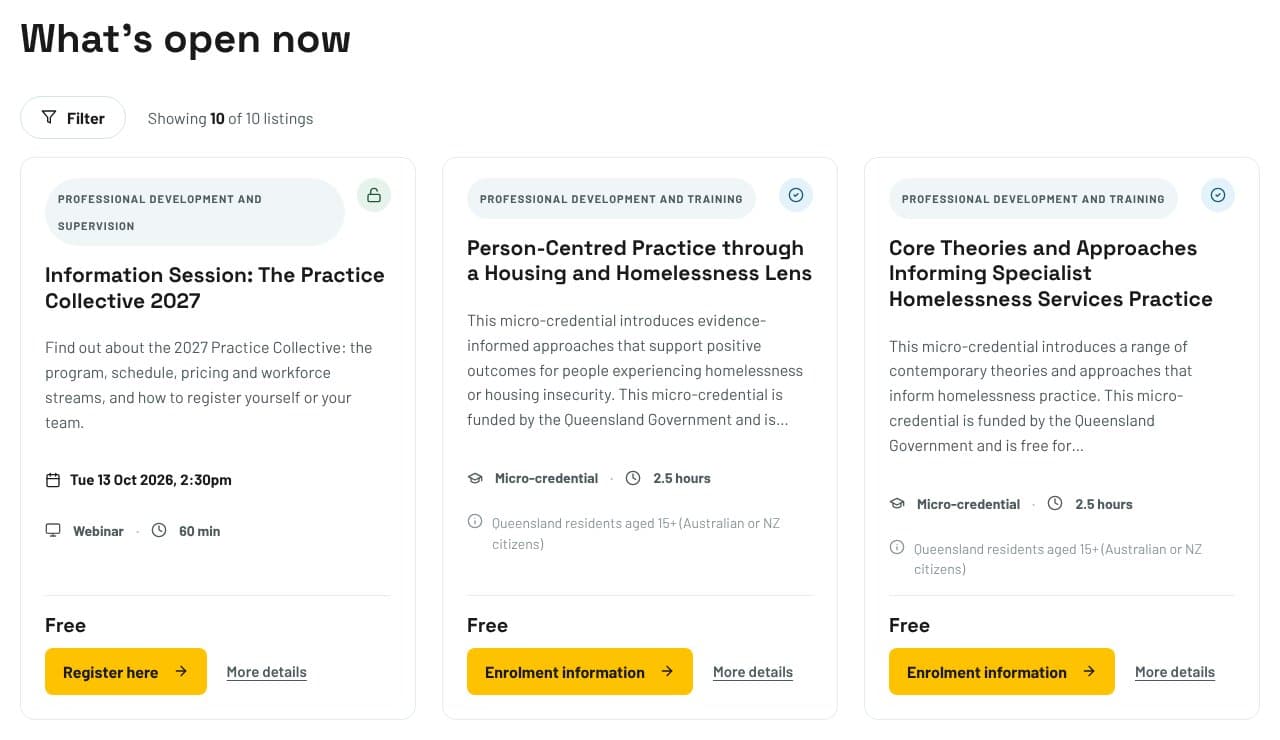
Free, funded, member and paid courses sit side by side.
Each course shows the right price wording: Free, Funded, By quotation, Included with membership, or a price with a member rate. A funded course can never show a dollar figure by mistake.
Paid courses take payment at checkout.
Learners pay by card through the website and receive a tax invoice with GST shown. You collect course fees the moment someone books.
Courses booked elsewhere still live in your catalogue.
A course can send learners to Eventbrite or a university enrolment page instead of the checkout. Your catalogue shows every course you offer, wherever people book it.
Courses not open yet still collect interest.
A course marked Coming soon shows a Register your interest button that emails your team. Announcing early builds a list to contact when bookings open.
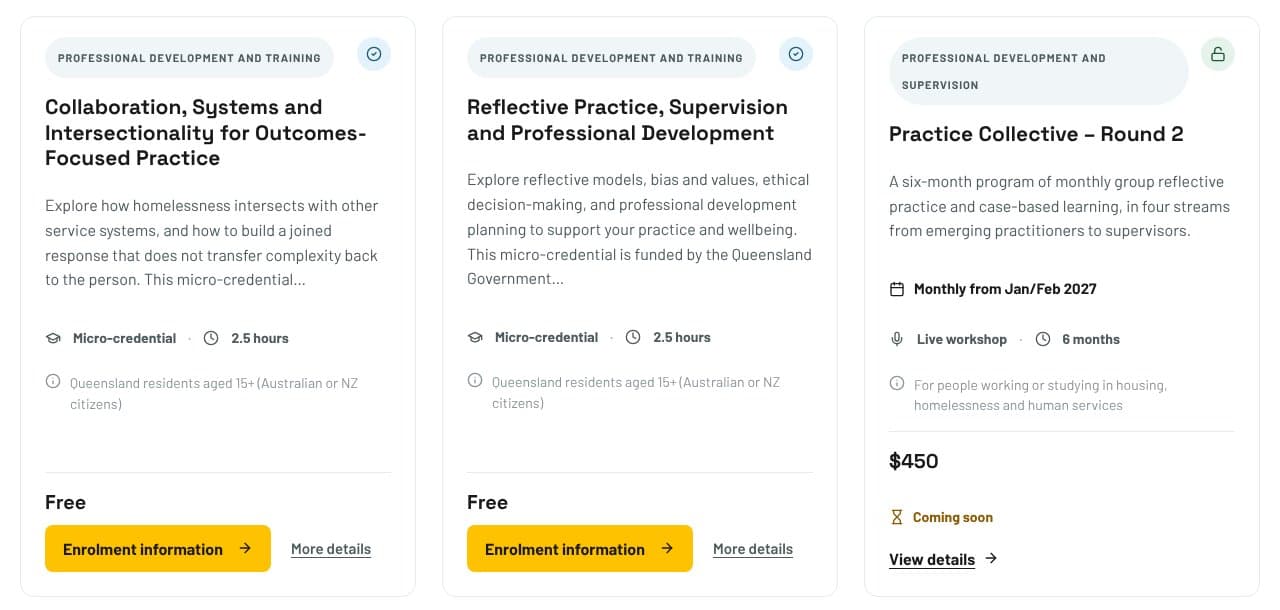
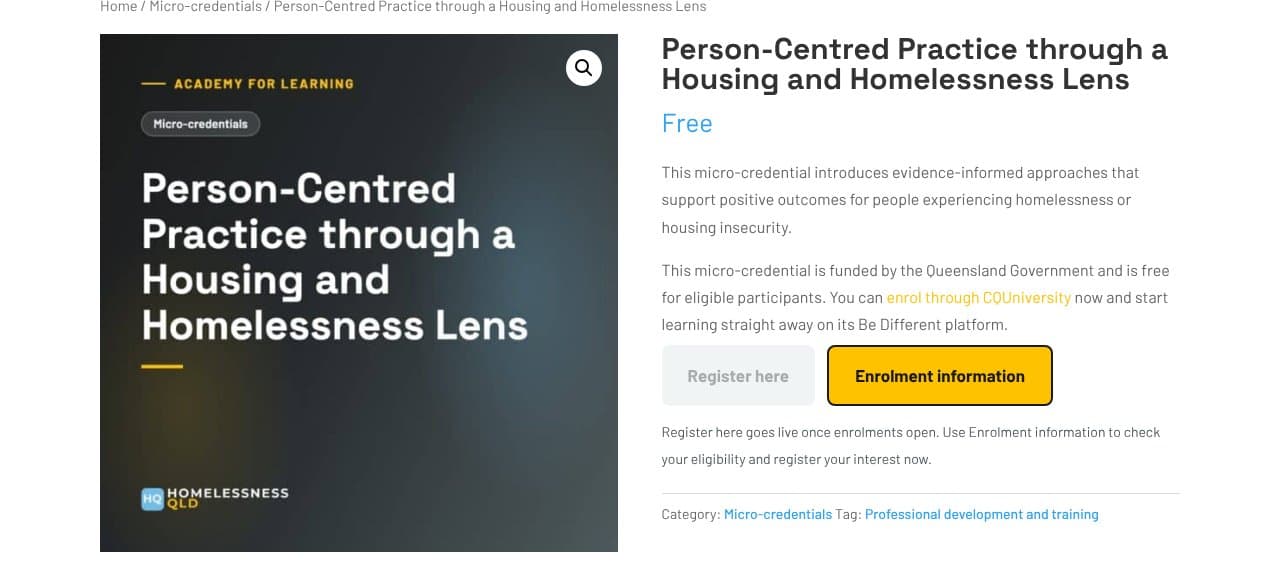
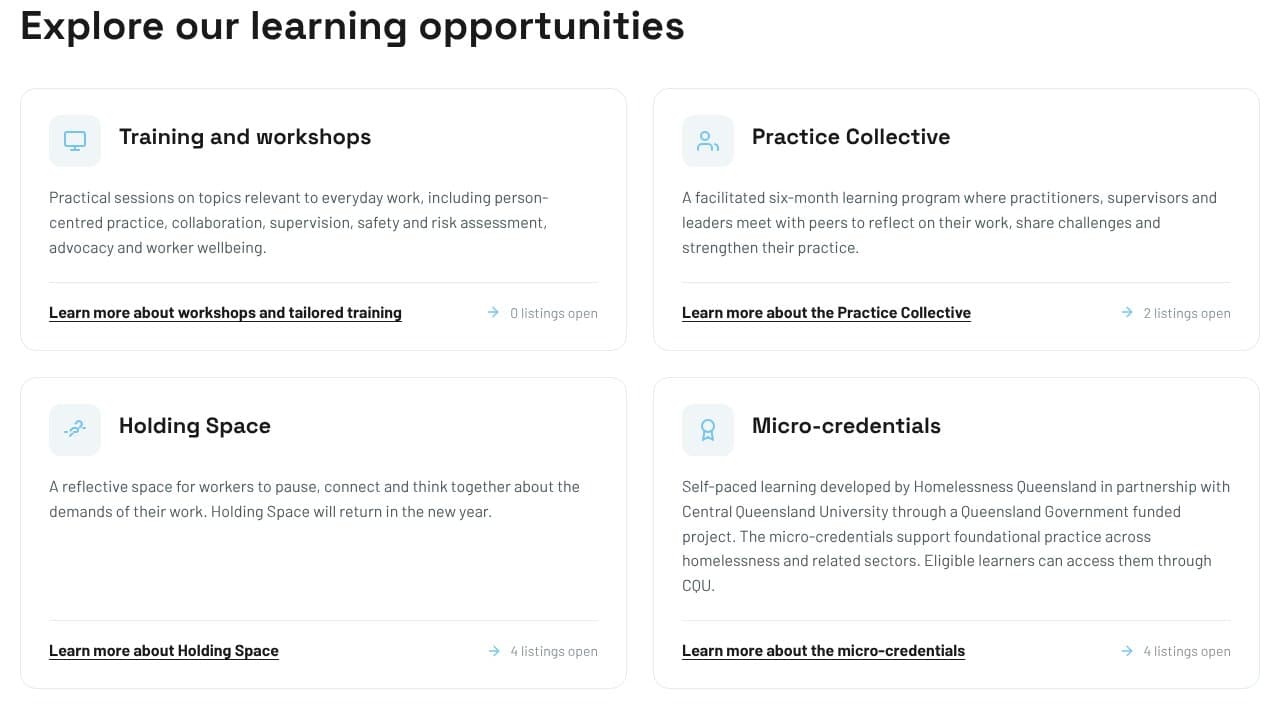
One catalogue runs the whole Academy for Learning
We built a single catalogue that handles four different programs:
- Workshops booked on Eventbrite
- Micro-credentials taken through CQUniversity, funded by the Queensland Government
- The Practice Collective, a paid six-month program
- Holding Space sessions, free for practitioners
Program cards filter the list and show how many courses are open. HQ's staff add and edit courses themselves, and learners find every course in one place.
Publish papers to the public and keep member resources behind a login
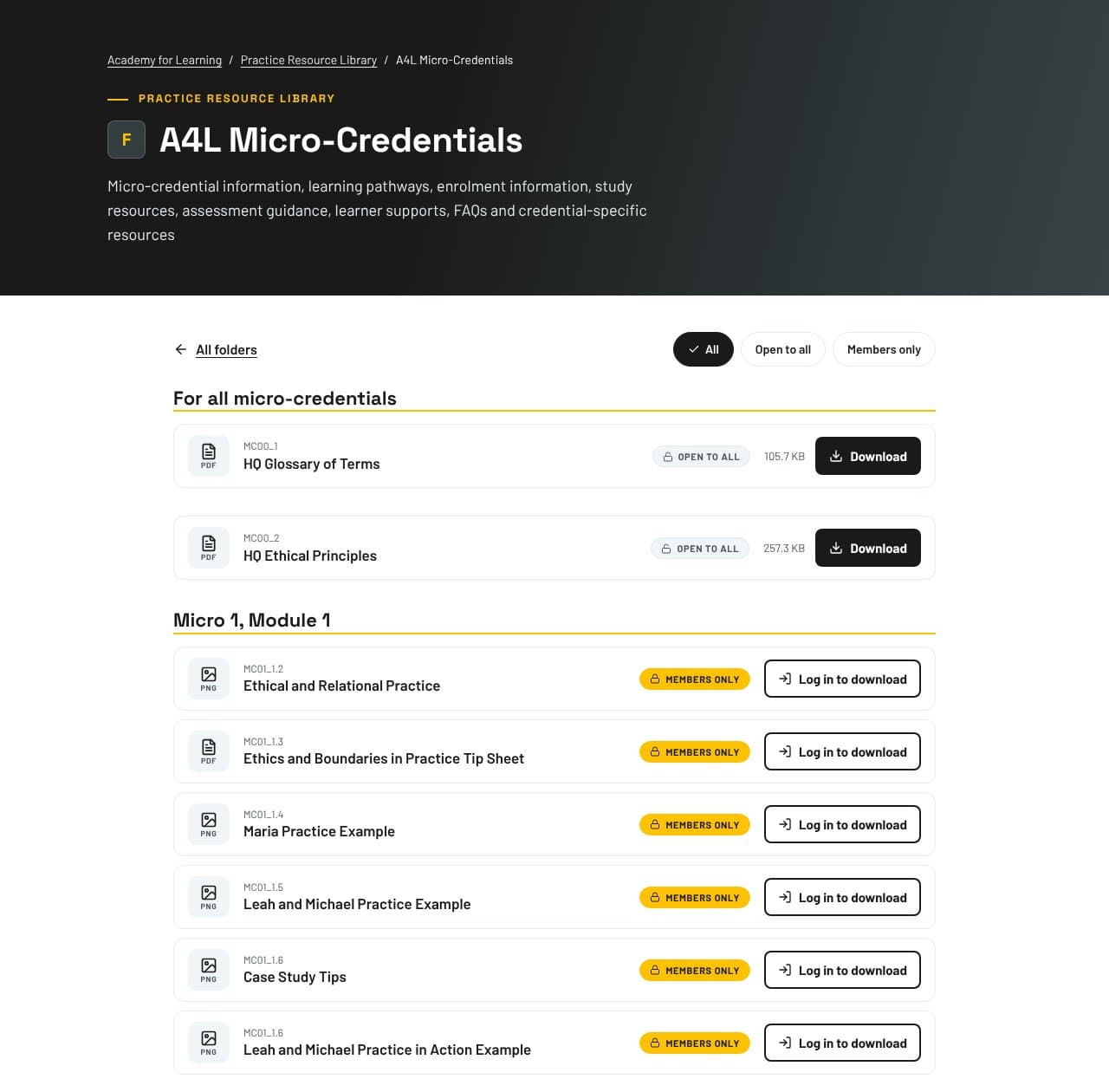
Tick Members only on any file in your Media Library, and visitors must log in to download it. There is no separate members site to run.
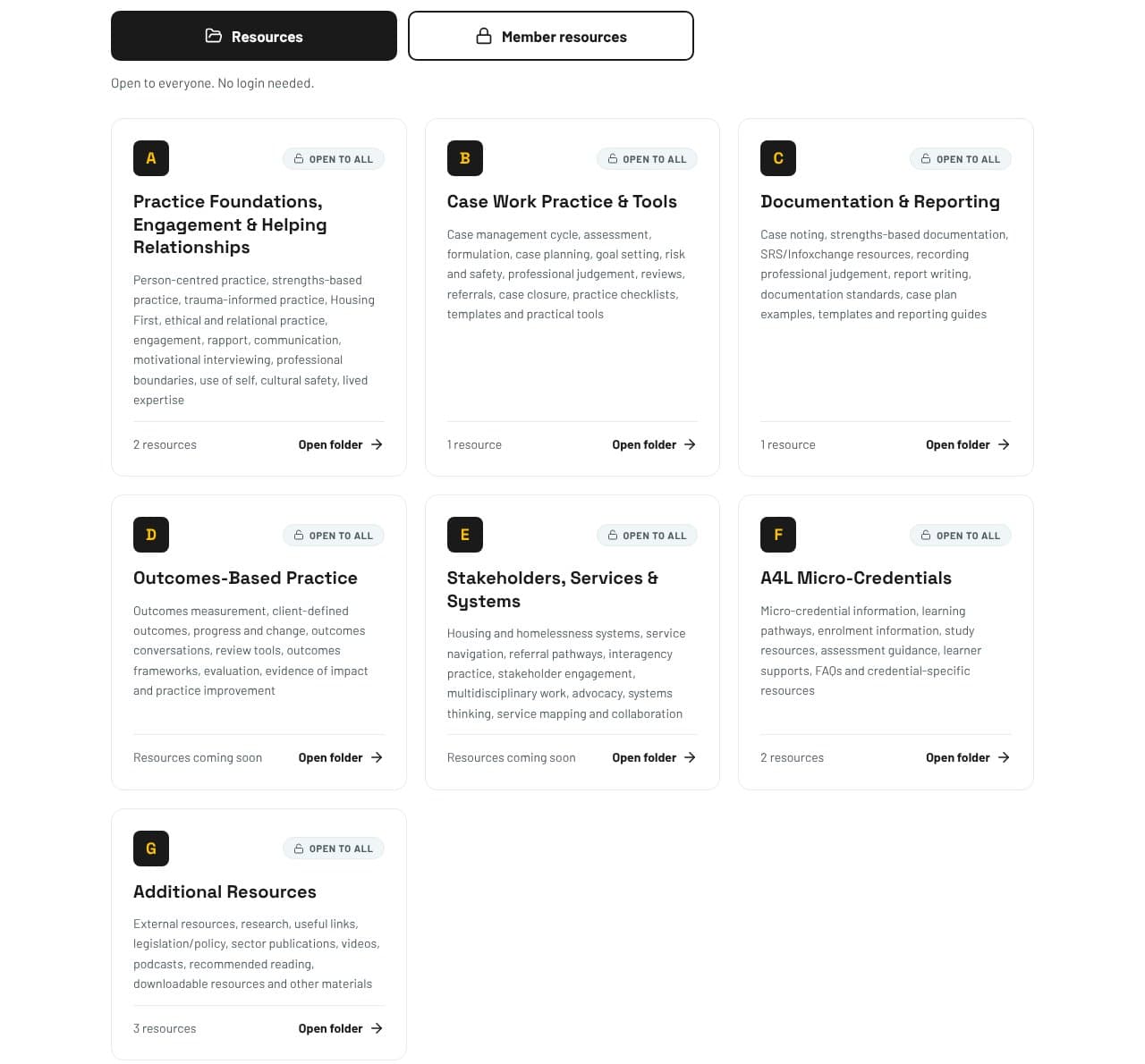
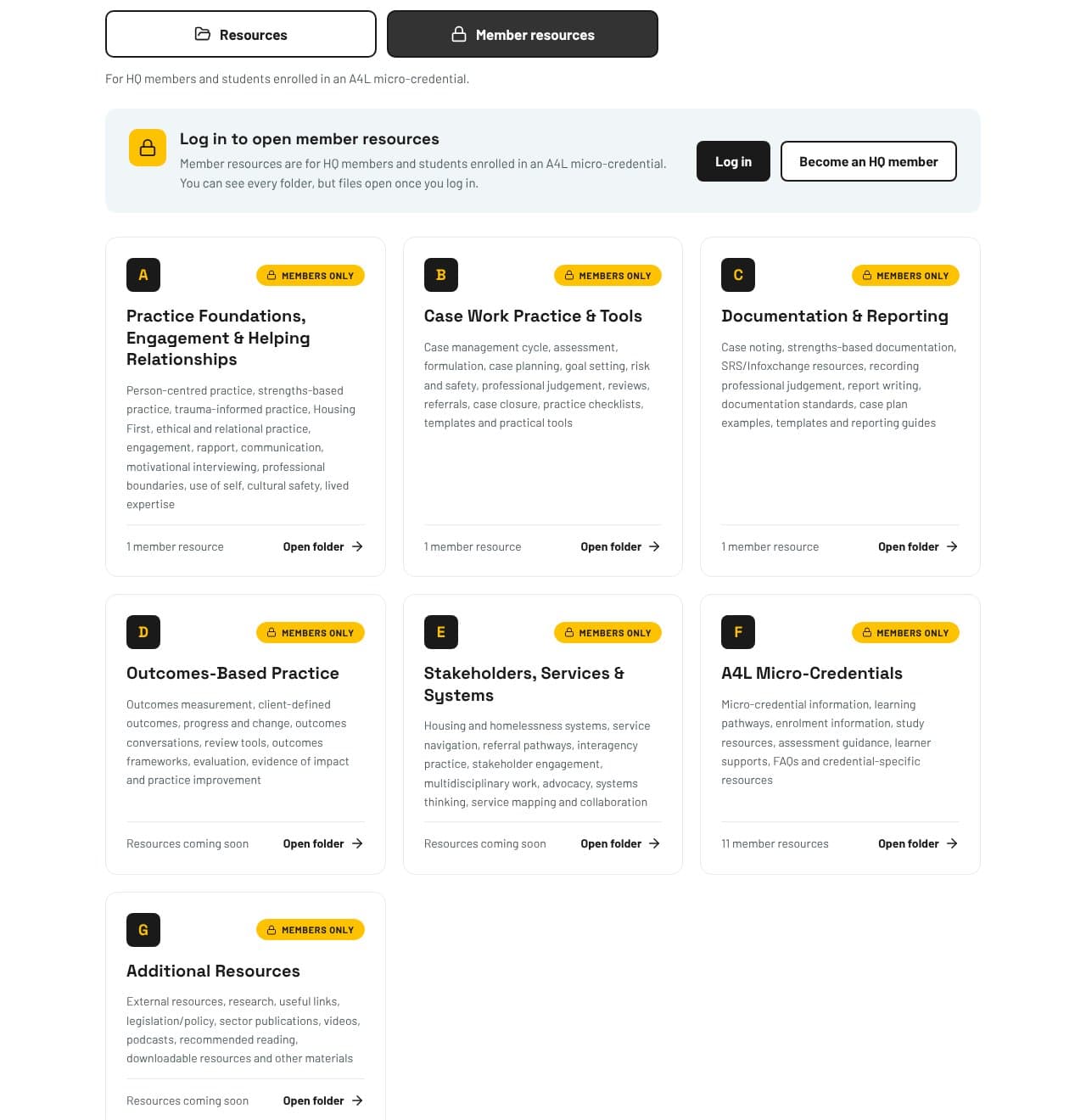
One library shows public and member resources.
Visitors switch between Resources and Member resources with one button. Every folder is visible, but member files open only after login, so visitors see what joining gives them.
Folders keep a large library easy to search.
Resources sit in coded folders, each with its own page and section headings. Members find the exact resource they need without scrolling through everything.
Access goes to members and enrolled students.
Students join through a personal sign-up link that works once, and their access ends when their course access ends. Your training resources reach the people who paid for them.
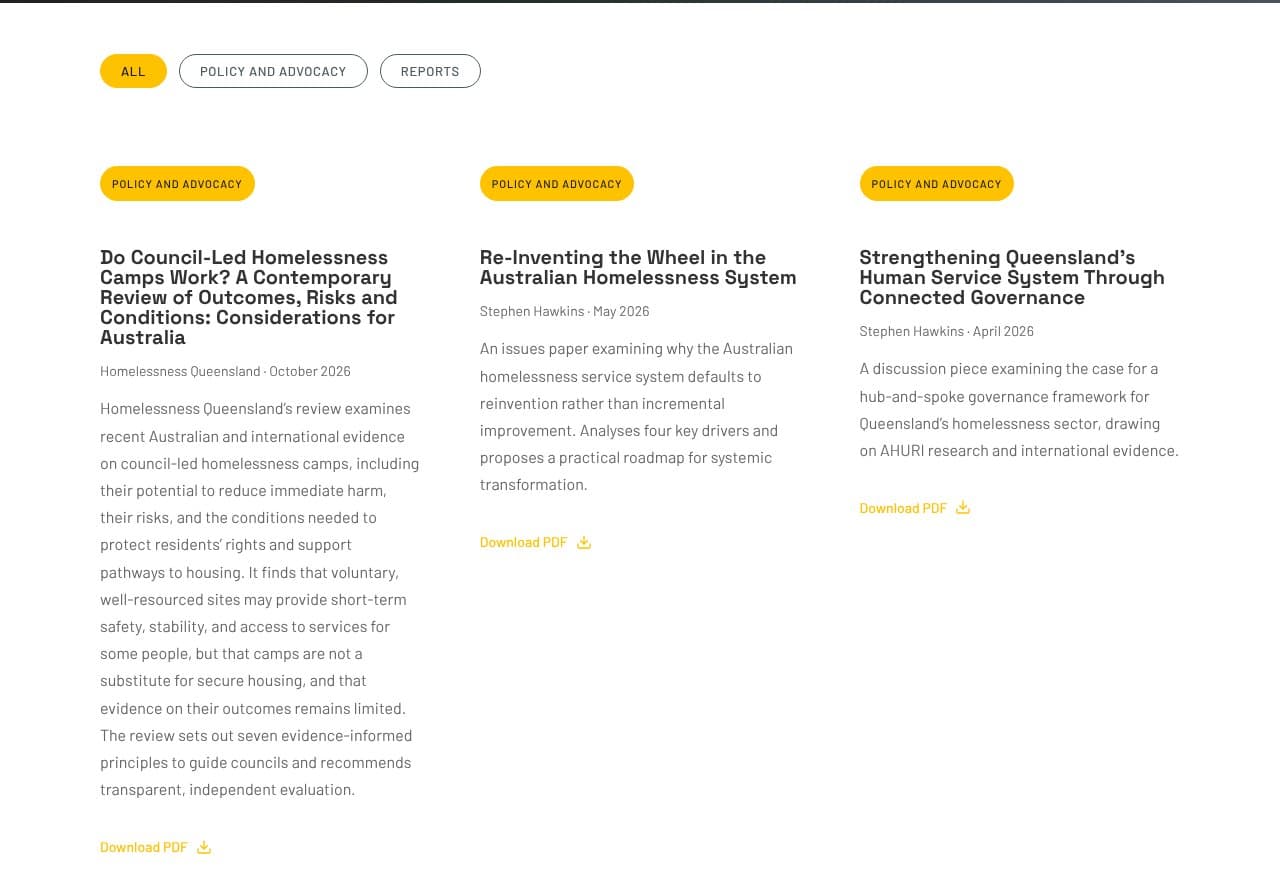
Your published papers get a public library.
Research, policy papers and reports sit on one page with a filter by type and a Download PDF link on each. Researchers, journalists and government find your work without asking for a copy.
A practice library for members and micro-credential students
HQ needed practice resources that members and students could use, while the public could see what was on offer. We built the HQ Practice Resource Library with seven folders, an open view and a member view, plus personal sign-up links so a whole intake of students had access before their course started. It went live in October 2026 with fifteen members-only resources for HQ's first micro-credential. HQ's staff upload new files themselves, and members reach them the day they are added.
Who is custom code for?
Custom code suits organisations whose website has to do a job, not only describe one. Peak bodies, industry associations, training providers and membership organisations are the closest fit. If your team keeps a spreadsheet or an inbox running beside your website, that job is usually a good candidate.
Built to your process
We map how your team does the job today, then build around it. Staff learn one short routine instead of new software.
A staff guide for each feature
Every module comes with a written guide to adding, editing and removing content, so new staff pick it up without training.
A 90-day defect warranty
If the feature does not work as agreed in the first 90 days, we fix it at no charge.
Support on Website Care
We keep the code working through WordPress and PHP updates, and check every release on three PHP versions first.
Frequently asked questions
No. Custom code adds a feature to the WordPress site you already have. Homelessness Queensland's job board, catalogue and library all run on its existing website.
Yes. Staff add roles, courses and files through the normal WordPress screens, and each feature comes with a staff guide. HQ's staff manage all three features themselves.
We update the code for you. Every site running our custom code is covered on a Website Care plan, which includes updates for new WordPress and PHP versions and security fixes.
We do, and your site holds a licence to use it. That is how we can maintain and improve the code for you over time.
Yes. Each feature is a module that can be switched on or off without deleting content. HQ's plugin started with one feature and now runs several.
Every feature is quoted to the job after a short call. Book a 15-minute call and tell us what your website needs to do, and we will send a fixed quote.
Tell us the job your website should do
If your team is working around your website to recruit, run courses or share member resources, we can build the feature that does it. Book a 15-minute call and walk us through the job.
A short call with Jerrell. No obligation, and a fixed quote follows.