The 30-Minute Google Hack for Tradies (That Actually Works)
Here's the truth: most tradies have a Google Business Profile. But hardly anyone uses it properly.
The result? Your profile sits there doing nothing while customers find your competitors instead.
This guide shows you one simple thing you can do in 30 minutes that'll get you showing up when people search for your services on Google.
What You'll Learn
Why you're invisible: Half the people searching for your services interact with a Google Business Profile within 24 hours. If yours isn't set up right, they're calling someone else
The 30-day rule: Google hides profiles that haven't been updated in 30 days. Yours might be hidden right now
The 20-minute fix: One weekly task that keeps Google showing your business to customers
Quick checks: Five settings that take 5 minutes to fix but make a massive difference
When it works: You'll see more calls and enquiries within 2-4 weeks
Why Does Google Business Profile Matter?
When someone searches "electrician near me" or "solar installer Gold Coast," Google doesn't just show websites. It shows a map with local businesses at the top.
That's your Google Business Profile.
Here's why it matters:
48% of people call or visit a business within 24 hours of finding their profile
Your profile shows up before websites in search results
It's free (unlike Google Ads)
Most of your competitors aren't using it properly
If you're not showing up in that map, you're losing jobs to tradies who are—even if they're further away or charge more.
Why Isn't Your Profile Working?
Google Hides Inactive Profiles
If you haven't updated your profile in 30+ days, Google thinks you might be out of business. They hide you and show more active businesses instead.
Even if you're smashing it and booked out for weeks.
Common Mistakes That Kill Your Visibility
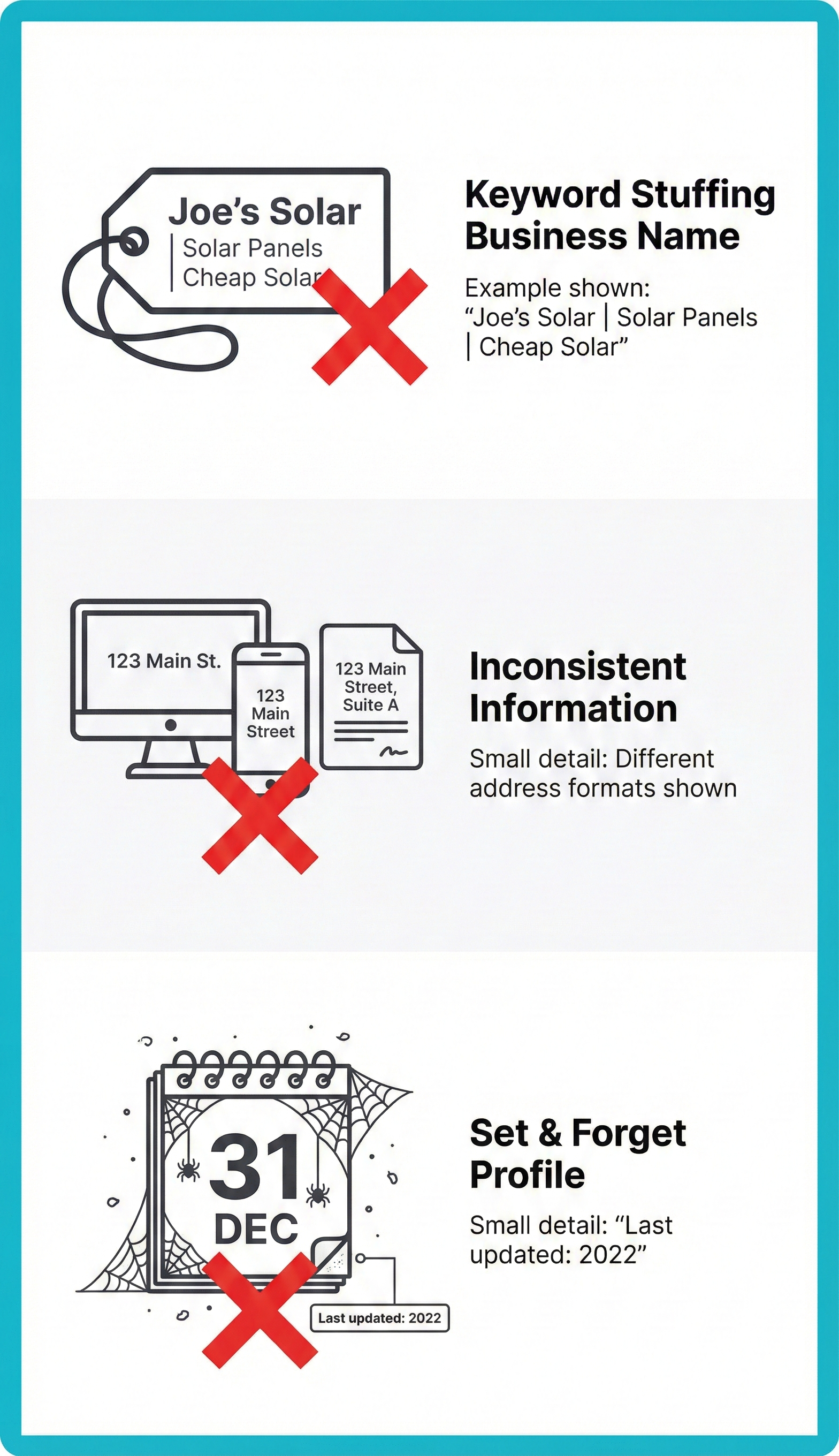
Adding keywords to your business name
Wrong: "Gold Coast Solar | Solar Panels | Tesla Powerwall"
Right: "Gold Coast Solar" (just your actual business name)
Different info everywhere
Your Google profile says "Suite 5, 123 Main St"
Your website says "5/123 Main Street"
Your Facebook says something else
Google sees this and doesn't trust you.
Setting it up once and forgetting about it
Your competitors who update their profiles weekly are ranking above you. Simple as that.
The 20-Minute Weekly Hack
Here's what works: Google Posts.
They're like Facebook posts, but they show up on your Google Business Profile. When someone finds your business on Google, they see your recent posts.
But here's the real power: Google uses these posts to decide if you're active and what services you offer.
What to Post
You don't need to be fancy. Here are four simple templates:
1. Project Photos (Use Most Often)
Just finished a 10kW solar install in Robina. This family will save around $2,400/year on power bills. Need solar? Get a free quote.
2. Seasonal Reminders
Summer's here. Is your switchboard ready for air con season? We're booking switchboard checks and upgrades for March. Book now before the rush.
3. Availability Updates
We have spots for solar installs in the first two weeks of March. Systems from 6.6kW to 13kW. Book now to lock in current pricing.
4. Quick Tips
Safety tip: Lights dimming when you turn stuff on? Your switchboard might need upgrading. It's not just annoying—it's a fire risk. We do free safety checks.
How Often?
Once a week, every week.
That's it. Pick the same day each week (Tuesday mornings work well) and stick to it.
The 20-Minute Process
Take a photo of your last job or your van (5 mins)
Write your post using one of the templates above (10 mins)
Add it to Google via your phone or computer (5 mins)
Set a weekly reminder and make it a habit like checking your emails.
The 5-Minute Foundation Check
Before you start posting, check these five things. If they're wrong, fix them now.
1. Name, Address, Phone (2 minutes)
Open three tabs:
Your Google Business Profile
Your website
Your Facebook page
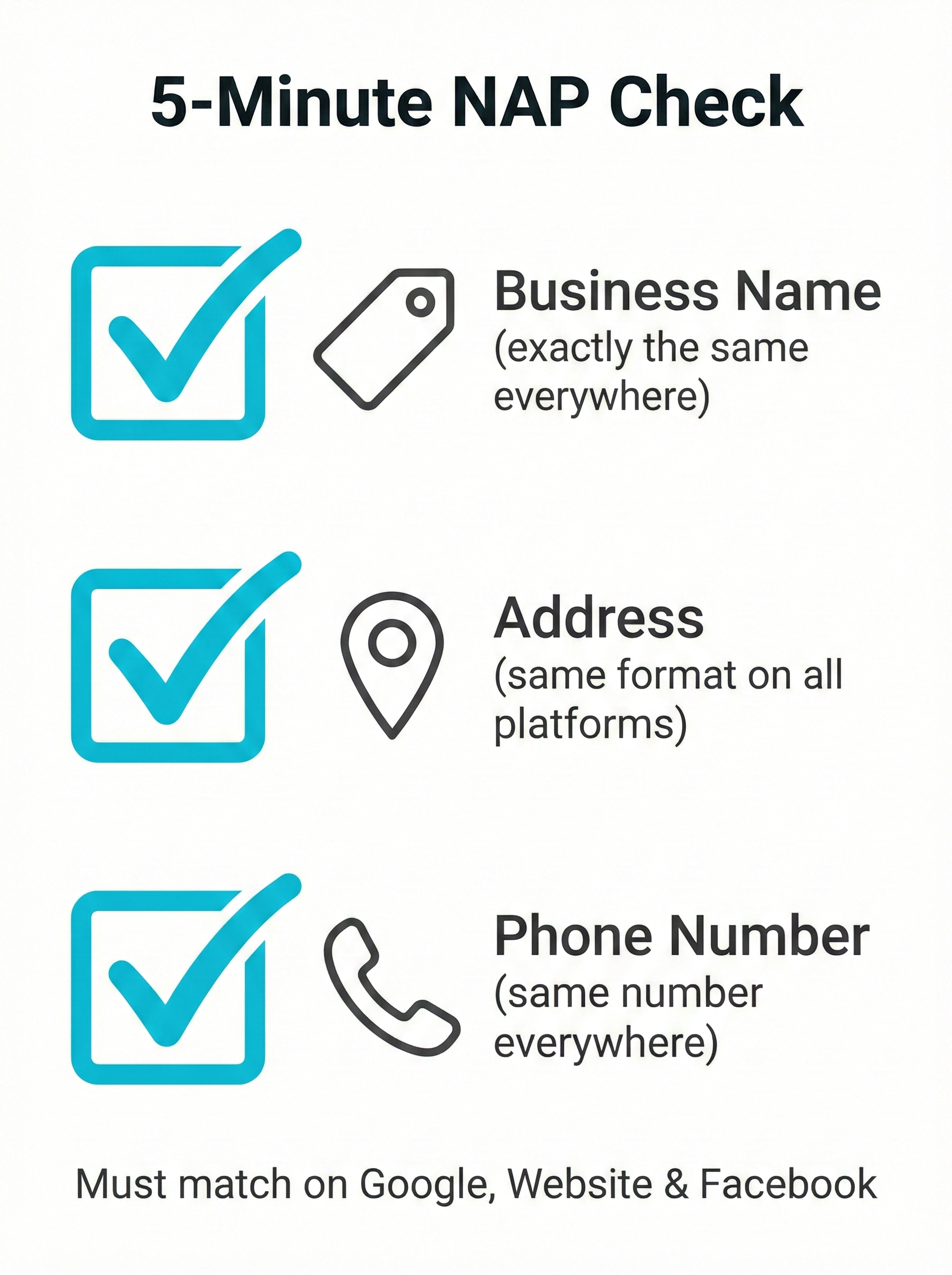
Check these match exactly:
Business name (no keywords added)
Address (same format everywhere)
Phone number (same number everywhere)
If they don't match, update them so they do.
2. Category (1 minute)
Pick the most specific category for what you do:
Electricians: Choose "Electrician" (not "Contractor")
Solar: Choose "Solar energy equipment supplier"
Plumbers: Choose "Plumber"
Find it: Google Business Profile → Info → Category
3. Service Areas (1 minute)
If you travel to customers (not a shop), set up service areas:
Hide your address
Add the suburbs you cover
Example: Southport, Surfers Paradise, Burleigh Heads, Robina
This helps you show up when people search "electrician Burleigh Heads" even if your office is in Southport.
4. Hours (30 seconds)
Make sure your hours show when you actually answer the phone.
If you say you're open till 5pm but don't answer after 3pm, people get annoyed and Google notices.
5. Description (30 seconds)
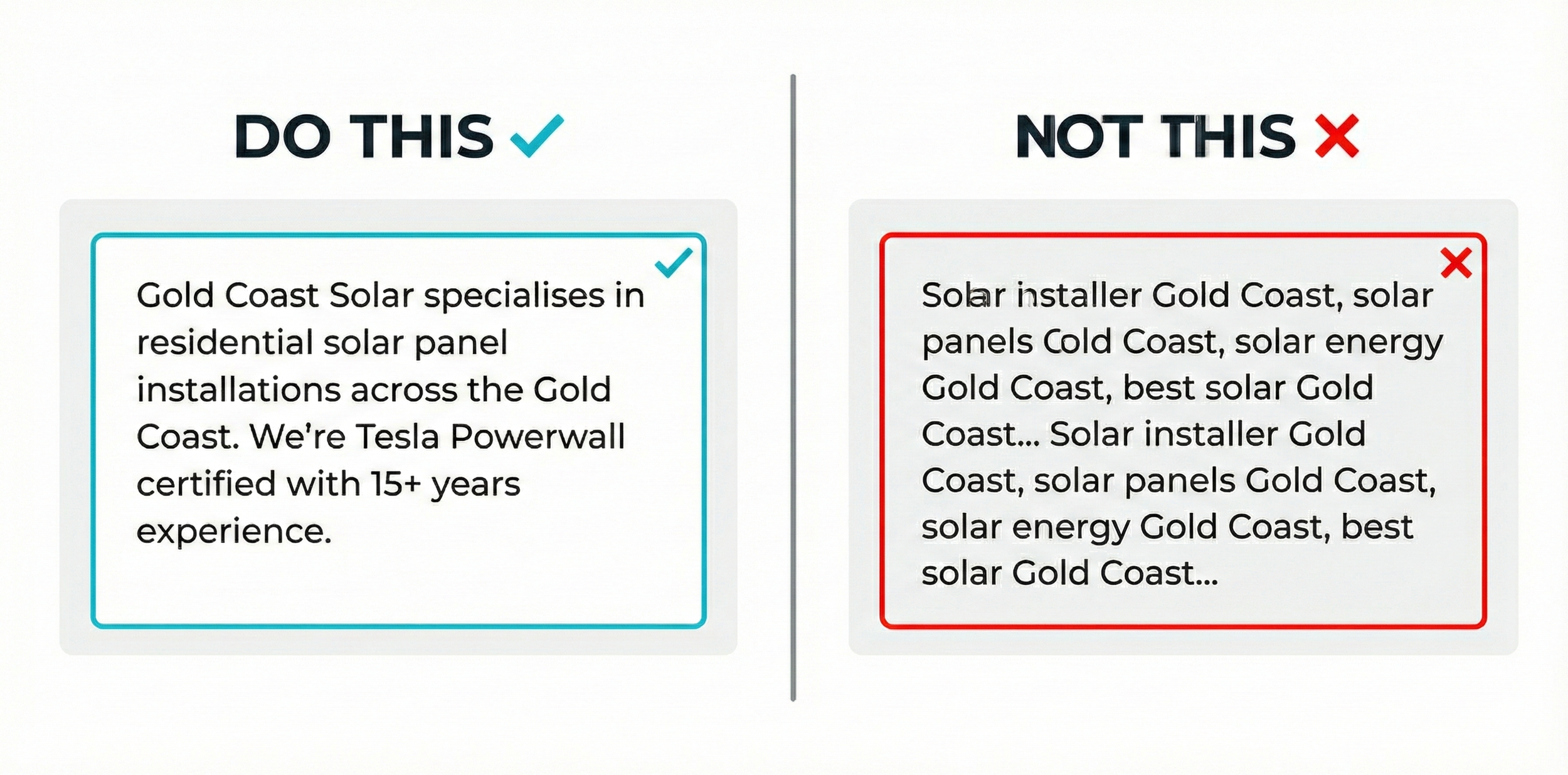
Keep it simple:
Gold Coast Solar specialises in residential solar panel installations across the Gold Coast. We're Tesla Powerwall certified with 15+ years experience helping Queensland families cut power bills.
Don't do this:
Solar installer Gold Coast, solar panels Gold Coast, solar energy Gold Coast, best solar... This gets you penalised
Quick Wins (10 Minutes Each)
Add Common Questions
Google now auto-answers questions about your business. Help it get the answers right by adding them yourself.
Questions to add:
Do you offer finance?
How long does installation take?
What brands do you use?
Do you handle rebate paperwork?
Do you do emergency call-outs?
Takes 10 minutes. Helps customers. Helps Google recommend you.
Upload Recent Photos Monthly
One photo per month. That's it.
Photos from the last 30 days get 35% more clicks than old ones.
What to photograph:
Finished jobs
Your van on site
Your team at work
Before/after shots
Turn On Messaging (Only If You'll Reply Fast)
Google Business Profile has a messaging feature. Customers can text you directly.
Only turn this on if you can reply within an hour.
Slow replies are worse than no messaging at all.
How to Know If It's Working
Check your Google Business Profile dashboard every Tuesday (when you post).
Three Numbers to Watch
1. Total Interactions
Calls + directions + website clicks
You want this going up week by week
2. How People Find You
"Discovery searches" = people searching for services
You want more of these (means you're showing up for "electrician Gold Coast" etc.)
3. Profile Views
How many people saw your profile
Should increase slowly over time
What Good Looks Like
Week 1-2: Not much changes yet
Week 3-4: You'll see more profile views
Week 6-8: More calls and enquiries coming through
Week 12+: Steady stream of new customers
Don't give up after two weeks. This builds momentum.
Mistakes That'll Tank Your Profile
❌ Adding Keywords to Your Business Name
Google will suspend your profile. Don't do it.
❌ Creating Multiple Profiles for Different Areas
One business = one profile. Use service areas to show where you work.
❌ Only Asking Happy Customers for Reviews
Ask everyone. Google knows when you're cherry-picking and doesn't like it.
❌ Ignoring Bad Reviews
Reply professionally to every review. It shows you care and that you're active.
❌ Posting for a Month Then Stopping
Consistency beats everything. One post per week for a year beats 10 posts then nothing.
Common Questions
-
If you're mobile (electrician, solar installer, plumber), hide your address and use service areas. This is exactly what Google expects for tradies.
You'll still verify with a physical address, but customers won't see it. They'll just see your service areas.
-
Google's AI uses your posts to understand what you do and recommend you in search results.
If you post about switchboard upgrades, Google knows to show you when people search for that.
-
You have three options:
Batch it: Write four posts in one sitting, schedule them weekly
Get someone else to do it (staff, partner, hire help)
Keep losing jobs to competitors who make the time
20 minutes a week is less than you spend on social media each day.
-
Get your free profile sorted first. After 4-8 weeks, if you need more leads, add paid ads on top.
Paying for ads without a good profile is burning money.
What Happens Next?
You know what to do:
Fix your foundation (5 minutes now)
Post weekly (20 minutes every Tuesday)
Track your numbers (check dashboard when you post)
Give it 8-12 weeks (this builds momentum)
The tradies who do this consistently get more calls. The ones who don't keep wondering why the phone's not ringing.
Which one will you be?
Get It Done For You
If you'd rather someone just handle this (and do it properly), we can help.
Here's what we do:
Set up and optimise your entire Google Business Profile
Write and post updates every week
Fix all the technical stuff that's holding you back
Track what's working and send you monthly reports
We've helped 100+ Gold Coast tradies and service businesses get found on Google. Most see 2-3× more enquiries within 90 days.
Free Profile Check — No Strings Attached
We'll audit your Google Business Profile for free and show you:
What's broken or missing
Your biggest quick wins
Exactly why you're not showing up
Book a 15-minute call and we'll screen share through your profile together.
No pressure. No jargon. Just clear next steps.
Book Your Free 15-Min Profile Check
Simple as that.